

What kind of printer is suitable for Dark Sublimation Paper?
Oct 15, 2025
When it comes to working with Dark Sublimation Paper, choosing the right printer is crucial for achieving high - quality and vibrant prints. As a supplier of Dark Sublimation Paper, I have gained extensive knowledge about the printers that are most suitable for this specialized paper.
Understanding Dark Sublimation Paper
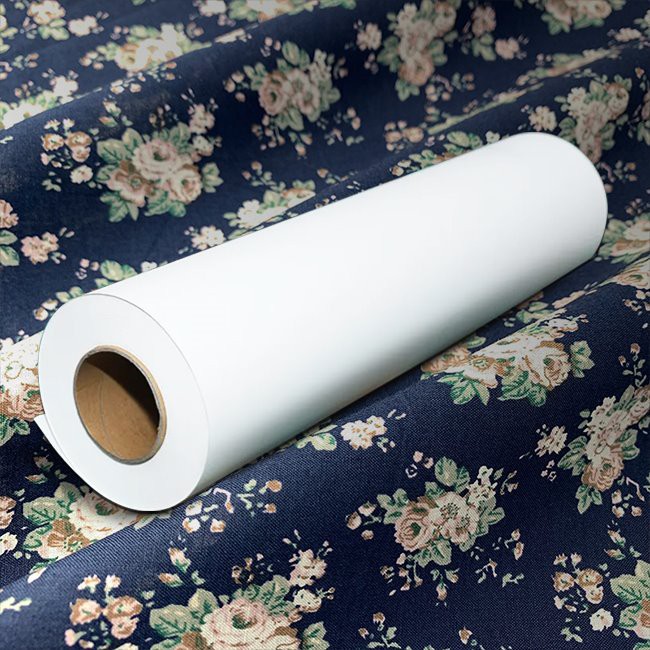
Before delving into the printer selection, it's essential to understand what Dark Sublimation Paper is. Dark sublimation paper is designed to transfer high - quality, full - color images onto dark - colored fabrics or substrates. Unlike regular sublimation paper, it can handle the challenges of printing on darker surfaces, which require more intense color saturation and better ink absorption. Our company offers a range of Dark Sublimation Papers, such as the 41gsm Fast Dry Sublimation Paper and the 120gsm Fast Dry Sublimation Paper, each with its own unique properties and applications.

Key Printer Features for Dark Sublimation Paper
- Ink Compatibility
The printer must be compatible with sublimation inks. Sublimation inks are specially formulated to turn from a solid to a gas without passing through the liquid state when heated, which is the fundamental principle of sublimation printing. When using Dark Sublimation Paper, inks need to be able to penetrate the paper effectively and then transfer onto the substrate with high color accuracy and saturation. Printers that support a wide color gamut of sublimation inks are ideal, as they can produce more vivid and detailed prints. - Print Resolution
High print resolution is essential for achieving sharp and clear images on Dark Sublimation Paper. A printer with a minimum resolution of 1440 x 1440 dpi (dots per inch) is recommended. Higher resolutions allow for more precise ink placement, resulting in smoother gradients, finer details, and overall better - looking prints. For example, if you are printing a detailed portrait or a complex graphic design, a high - resolution printer will ensure that every nuance of the image is accurately reproduced on the paper. - Print Speed
Depending on your production needs, print speed can be an important factor. If you have a high - volume printing requirement, a printer with a faster print speed will increase your productivity. However, it's important to note that very high - speed printing may sometimes sacrifice a bit of print quality. So, you need to find a balance between speed and quality. Some printers offer different print modes, allowing you to choose a faster mode for less critical jobs and a slower, high - quality mode for more important prints. - Paper Handling
The printer should be able to handle the specific thickness and size of Dark Sublimation Paper. Our Dark Sublimation Papers come in various thicknesses, and the printer needs to have the appropriate paper path and feeding mechanism to ensure smooth and accurate paper feeding. Additionally, printers that can accommodate different paper sizes are more versatile, as you may need to print on various sizes of Dark Sublimation Paper depending on your project requirements.
Types of Printers Suitable for Dark Sublimation Paper
- Epson Printers
Epson printers are widely used in the sublimation printing industry. Models such as the Epson SureColor F - series are popular choices for working with Dark Sublimation Paper. These printers are known for their excellent print quality, high - resolution capabilities, and reliable ink delivery systems. They support a wide range of sublimation inks and can produce sharp, vibrant prints with accurate color reproduction. Epson printers also offer good paper handling, which is important when dealing with different types of Dark Sublimation Paper. - Roland Printers
Roland printers are another option for sublimation printing on Dark Sublimation Paper. They are often praised for their durability and high - speed printing capabilities. Roland printers use advanced printhead technology to ensure precise ink placement, resulting in high - quality prints. They also have features that allow for easy color management, which is crucial when printing on dark substrates where color accuracy is more challenging to achieve. - Mutoh Printers
Mutoh printers are known for their versatility and user - friendly operation. They offer a range of models suitable for different printing needs, from small - scale projects to large - volume production. Mutoh printers have good ink compatibility and can produce consistent, high - quality prints on Dark Sublimation Paper. They also come with software that allows for easy customization of print settings, such as print resolution, speed, and color correction.
Considerations for Different Printing Scenarios
- Small - Scale Printing
If you are a small - business owner or a hobbyist, an Epson desktop printer may be a good choice. These printers are relatively affordable, easy to set up, and can produce high - quality prints for small - scale projects. For example, if you are making custom T - shirts or personalized mugs, an Epson SureColor P - series printer can meet your needs. It offers good print quality and is compatible with our Dark Sublimation Papers. - Large - Scale Production
For large - scale production, industrial - grade printers from Roland or Mutoh may be more suitable. These printers are designed for high - volume printing and can handle continuous operation. They have larger ink tanks, which means less frequent ink refilling, and faster print speeds, allowing you to meet tight production deadlines. They are also more durable and can withstand the rigors of a busy production environment.
Tips for Using Printers with Dark Sublimation Paper
- Calibration
Regularly calibrate your printer to ensure accurate color reproduction. Calibration helps to adjust the printer settings so that the colors printed on the Dark Sublimation Paper match the colors on your digital design. You can use calibration tools or software provided by the printer manufacturer to perform this task. - Maintenance
Proper maintenance of the printer is essential for optimal performance. This includes cleaning the printheads regularly to prevent clogging, replacing ink cartridges when they are low, and checking the paper feed mechanism for any signs of wear or damage. Following the manufacturer's maintenance schedule will help to extend the lifespan of your printer and ensure consistent print quality. - Test Prints
Before starting a large - scale print job, always do a test print on a small piece of Dark Sublimation Paper. This allows you to check the color accuracy, print quality, and any potential issues with the paper or the printer. You can make any necessary adjustments to the print settings based on the test print results.
Conclusion
Choosing the right printer for Dark Sublimation Paper is a critical decision that can significantly impact the quality of your prints. By considering factors such as ink compatibility, print resolution, print speed, and paper handling, you can select a printer that meets your specific needs. Whether you are a small - scale printer or a large - scale production facility, there are suitable printer options available.
If you are interested in learning more about our Dark Sublimation Papers or need advice on choosing the right printer for your projects, we are here to help. Feel free to contact us for further information and to start a procurement discussion. We look forward to working with you to achieve the best sublimation printing results.
References
- "Sublimation Printing Technology: Principles and Applications" - A technical guide on sublimation printing processes.
- Manufacturer's manuals for Epson, Roland, and Mutoh printers.
- Industry reports on the latest trends in sublimation printing.