

How to make the most of Dark Sublimation Paper?
Jun 23, 2025
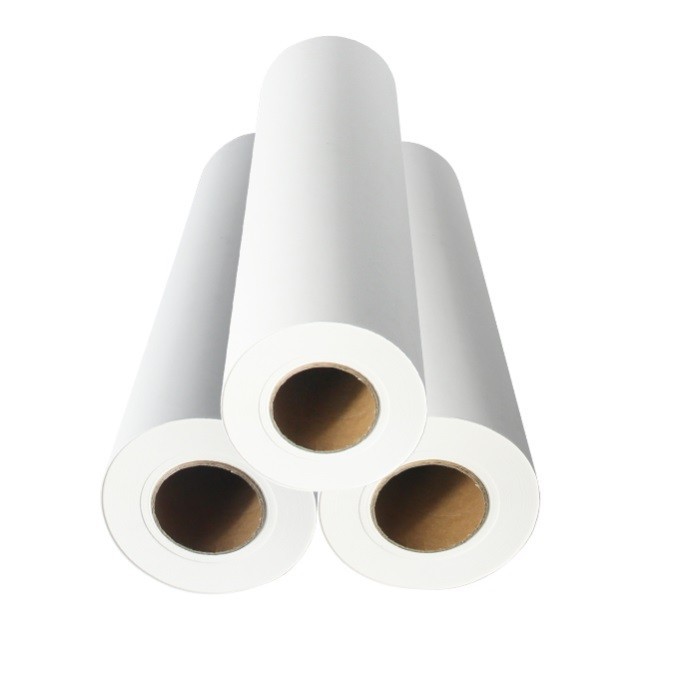
As a provider of Dark Sublimation Paper, I'm thrilled to share insights on how to maximize its potential. Dark Sublimation Paper is a specialized material designed for sublimation printing, a process that transfers dyes onto various substrates using heat and pressure. This paper is particularly useful when printing on dark - colored fabrics or materials, as it allows for vivid and high - quality prints that stand out.
Understanding Dark Sublimation Paper
Before delving into how to make the most of Dark Sublimation Paper, it's essential to understand its characteristics. Unlike regular sublimation paper, dark sublimation paper is engineered to work with inks that can penetrate and bond well with dark - colored surfaces. It has a unique coating that helps in better ink absorption and transfer, ensuring that the printed design is sharp and long - lasting.
The quality of the paper can significantly affect the final print. Higher - quality papers usually have a more uniform coating, which leads to consistent ink transfer. They also tend to be more resistant to curling and wrinkling during the printing and heat - transfer process.
Selecting the Right Design
The first step in getting the best results with Dark Sublimation Paper is to choose an appropriate design. Since you're working with dark - colored substrates, bold and high - contrast designs are ideal. Light - colored elements in the design will pop against the dark background, creating a visually striking effect.
Avoid designs with very fine details or small text, as they may not reproduce well on dark materials. Instead, opt for large, simple shapes and clear, bold typography. Additionally, consider the color palette of your design. Bright, saturated colors will look more vibrant on dark surfaces. You can experiment with different color combinations to find the ones that work best for your specific project.
Preparing the Design for Printing
Once you've selected your design, you need to prepare it for printing on Dark Sublimation Paper. This involves a few key steps:
- Mirror the Image: Sublimation printing requires the design to be mirrored before printing. This is because the transfer process flips the image onto the substrate. Most graphic design software, such as Adobe Photoshop or Illustrator, has a mirroring function that you can easily use.
- Adjust the Resolution: Set the resolution of your design to at least 300 DPI (dots per inch). This ensures that the print will be sharp and detailed. Lower resolutions may result in a blurry or pixelated image.
- Color Management: Make sure your colors are properly calibrated. Different printers and inks may produce slightly different color results. It's a good idea to print a test patch on a small piece of Dark Sublimation Paper to check the color accuracy before printing the full - scale design.
Choosing the Right Printer and Inks
The printer and inks you use play a crucial role in the success of your sublimation printing project. For Dark Sublimation Paper, it's recommended to use a printer that is specifically designed for sublimation printing. These printers are optimized to work with sublimation inks and can produce high - quality prints.
When it comes to inks, choose high - quality sublimation inks that are compatible with your printer and Dark Sublimation Paper. Inks from reputable manufacturers are more likely to provide consistent and reliable results. They also tend to have better colorfastness, meaning the colors will stay vibrant for a longer time.
Some printers offer different ink cartridges with varying levels of quality. It's worth investing in the higher - quality cartridges, as they can make a significant difference in the final print.
Printing on Dark Sublimation Paper
Now that you've prepared your design, printer, and inks, it's time to print on the Dark Sublimation Paper. Follow these steps for the best results:
- Load the Paper Correctly: Make sure the Dark Sublimation Paper is loaded into the printer correctly. Most printers have specific guidelines on how to load different types of paper. Loading the paper incorrectly can lead to jams or uneven printing.
- Select the Right Print Settings: Adjust the print settings according to the type of Dark Sublimation Paper and the printer you're using. Select the highest quality print mode to ensure a sharp and detailed image. You may also need to adjust the ink density or saturation settings to achieve the desired color intensity.
- Print a Test Page: Before printing the full - scale design, print a test page on a small piece of Dark Sublimation Paper. This allows you to check for any issues, such as color accuracy, print quality, or alignment. Make any necessary adjustments to the design or print settings based on the test page results.
Heat Transfer Process
The heat transfer process is where the magic happens. This is when the ink on the Dark Sublimation Paper is transferred onto the substrate. Here's how to do it:
- Pre - heat the Heat Press: Set your heat press to the recommended temperature and time for the specific Dark Sublimation Paper and substrate you're using. Different papers and materials may require different heat settings. It's important to follow the manufacturer's guidelines to avoid over - or under - heating.
- Position the Printed Paper: Place the printed Dark Sublimation Paper face - down on the substrate. Make sure it is aligned correctly and there are no air bubbles or wrinkles between the paper and the substrate.
- Apply Pressure and Heat: Close the heat press and apply even pressure for the specified time. The heat causes the ink to turn into a gas and penetrate the fibers of the substrate, permanently bonding the design to the material.
- Cool Down: After the heat - transfer process is complete, carefully remove the substrate from the heat press and let it cool down. Do not touch the printed area until it has cooled completely, as this can cause smudging or damage to the design.
Maintaining the Quality of the Printed Product
Once you've transferred the design onto the substrate, there are a few things you can do to maintain the quality of the printed product:
- Washing Instructions: Provide clear washing instructions to the end - users. In general, it's best to wash sublimation - printed items in cold water on a gentle cycle. Avoid using harsh detergents or bleach, as they can fade the colors over time.
- Storage: Store the printed items in a cool, dry place away from direct sunlight. Prolonged exposure to sunlight can cause the colors to fade.
Exploring Different Substrates
Dark Sublimation Paper can be used on a variety of substrates, not just fabrics. Some other popular options include:

- Hard Surfaces: You can transfer designs onto hard surfaces such as ceramics, metals, or plastics. This opens up a wide range of possibilities for creating unique products, such as personalized mugs, phone cases, or keychains.
- Synthetic Materials: In addition to natural fabrics, synthetic materials like polyester also work well with Dark Sublimation Paper. Polyester has a high affinity for sublimation inks, resulting in vibrant and long - lasting prints.
Related Products for Enhanced Performance
If you're looking to further improve your sublimation printing process, you might want to consider some related products. Quick Dry Sublimation Paper is a great option. It dries quickly, reducing the risk of smudging during the printing process. This can lead to cleaner and more precise prints.
Another excellent choice is 90gsm Fast Dry Sublimation Paper. The 90gsm weight provides a good balance between durability and ink absorption. It's suitable for a wide range of sublimation printing applications.
Fast Dry Sublimation Heat Transfer Paper is also worth considering. It combines fast - drying properties with efficient heat transfer, ensuring that your designs are transferred smoothly and vividly onto the substrate.
Conclusion
Making the most of Dark Sublimation Paper involves a combination of careful design selection, proper preparation, and precise execution of the printing and heat - transfer process. By following the tips and techniques outlined in this blog, you can achieve high - quality, vibrant prints on a variety of dark - colored substrates.
If you're interested in purchasing Dark Sublimation Paper or any of our related products, we'd love to hear from you. We're committed to providing the best products and support to help you succeed in your sublimation printing projects. Reach out to us to start a discussion about your specific needs and how we can assist you.
References
- "Sublimation Printing Handbook" - A comprehensive guide on sublimation printing techniques and best practices.
- Manufacturer's documentation for Dark Sublimation Paper, including technical specifications and usage guidelines.