

How to ensure proper alignment when using 70gsm Fast Dry Sublimation Paper with a heat press?
Aug 21, 2025
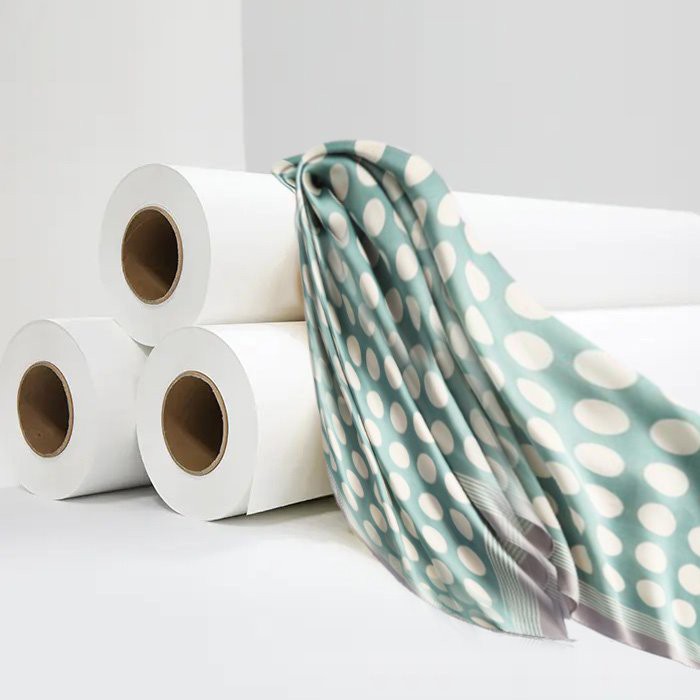
Ensuring proper alignment when using 70gsm Fast Dry Sublimation Paper with a heat press is crucial for achieving high - quality sublimation prints. As a supplier of 70gsm Fast Dry Sublimation Paper, I understand the challenges that users may face in this process. In this blog, I will share some practical tips and techniques to help you ensure accurate alignment during the sublimation process.
Understanding the Basics of Sublimation and Alignment
Sublimation is a process where a solid (in this case, the sublimation ink on the paper) turns directly into a gas without going through the liquid phase when heated. When using a heat press, the heat and pressure transfer the sublimation ink from the paper onto the substrate, such as a T - shirt or a mug. Proper alignment is essential because any misalignment can result in a print that is off - center, skewed, or has unwanted gaps between the design and the edges of the substrate.
Preparing the Workspace
The first step in ensuring proper alignment is to prepare your workspace. A clean and flat surface is essential. Make sure your heat press is placed on a stable table or stand. Any wobbling or unevenness can lead to misalignment during the pressing process.
Before starting, clean the heat press platen thoroughly. Dust, debris, or old ink residues can affect the transfer quality and alignment. Use a soft, lint - free cloth to wipe the platen clean.
Choosing the Right Substrate
The substrate you choose also plays a role in alignment. For example, when printing on T - shirts, make sure the shirt is properly folded and centered on the heat press platen. You can use a T - shirt board or a template to help with this. If the shirt is wrinkled or not flat, it can cause the print to be distorted.
For other substrates like mugs or mousepads, ensure they are clean and free from any scratches or imperfections. These can also affect the alignment and the overall quality of the print. You can find a wide range of substrates suitable for sublimation on our Sublimation Paper For T - shirt Printing and Sublimation Paper For Heat Press pages.
Design and Printing Considerations
When designing your sublimation print, it's important to consider the alignment from the start. Use a graphic design software that allows you to set precise margins and dimensions. Make sure your design is centered within the printable area of the sublimation paper.
Print your design on the 70gsm Fast Dry Sublimation Paper using a sublimation printer. Follow the printer's instructions carefully to ensure accurate printing. Check the print preview before sending the job to the printer to make sure everything is in the right place.
Using Alignment Tools
There are several alignment tools that can help you achieve accurate alignment. One of the most common tools is a ruler. You can use a ruler to measure the distance from the edges of the sublimation paper to the edges of the substrate. This will help you center the paper correctly on the substrate.
Another useful tool is a registration mark. You can add registration marks to your design. These are small, distinct marks that can be used to align the paper with the substrate. When placing the paper on the substrate, line up the registration marks on the paper with corresponding marks on the substrate.
Heat Press Settings
The heat press settings also affect alignment. Make sure you set the correct temperature, pressure, and time for your sublimation paper and substrate. Incorrect settings can cause the paper to shift during the pressing process, leading to misalignment.
For 70gsm Fast Dry Sublimation Paper, the recommended temperature is usually between 380°F - 400°F (193°C - 204°C), and the pressure should be medium to high. The pressing time can vary depending on the substrate, but it is typically between 45 - 60 seconds.
Step - by - Step Alignment Process
- Prepare the Substrate: Place the substrate on the heat press platen. If it's a T - shirt, use a T - shirt board to keep it flat and centered.
- Print the Design: Print your design on the 70gsm Fast Dry Sublimation Paper using a sublimation printer.
- Position the Paper: Carefully place the printed sublimation paper on the substrate. Use alignment tools such as a ruler or registration marks to ensure it is centered and straight.
- Secure the Paper: You can use heat - resistant tape to secure the edges of the sublimation paper to the substrate. This will prevent the paper from shifting during the pressing process.
- Close the Heat Press: Lower the heat press platen slowly and evenly onto the paper and substrate. Make sure the pressure is distributed evenly across the entire surface.
- Press the Design: Set the heat press to the appropriate temperature and time. Start the timer and wait for the pressing process to complete.
- Remove the Paper: After the pressing time is up, carefully open the heat press and remove the sublimation paper. Be careful not to smudge the print.
Troubleshooting Alignment Issues
If you encounter alignment issues, here are some common causes and solutions:

- Paper Shifting: If the paper shifts during the pressing process, it could be due to insufficient pressure or the paper not being properly secured. Make sure you are using enough pressure and that the paper is taped down securely.
- Skewed Prints: A skewed print may be caused by the substrate not being flat or the paper not being placed straight. Check the substrate for wrinkles or unevenness and use alignment tools to ensure the paper is positioned correctly.
- Off - Center Prints: Off - center prints can be corrected by using a ruler or template to measure and re - position the paper on the substrate.
Special Considerations for Dark Substrates
When using Dark Sublimation Paper for sublimation on dark - colored substrates, alignment becomes even more critical. Dark substrates require a special type of sublimation paper that can produce vibrant colors.
The process for aligning dark sublimation paper is similar to that of regular sublimation paper. However, you may need to adjust the heat press settings slightly to achieve the best results. Dark sublimation paper usually requires a higher temperature and longer pressing time compared to regular sublimation paper.
Conclusion
Ensuring proper alignment when using 70gsm Fast Dry Sublimation Paper with a heat press is a combination of careful preparation, the use of alignment tools, and correct heat press settings. By following the tips and techniques outlined in this blog, you can achieve high - quality, accurately aligned sublimation prints.
If you have any questions about our 70gsm Fast Dry Sublimation Paper or need further assistance with sublimation printing, please feel free to contact us for procurement and consultation. We are here to help you make the most of your sublimation printing projects.
References
- Sublimation Printing Handbook: A comprehensive guide to sublimation printing techniques and best practices.
- Heat Press Manufacturer's Manual: Provides detailed information on heat press settings and operation.